
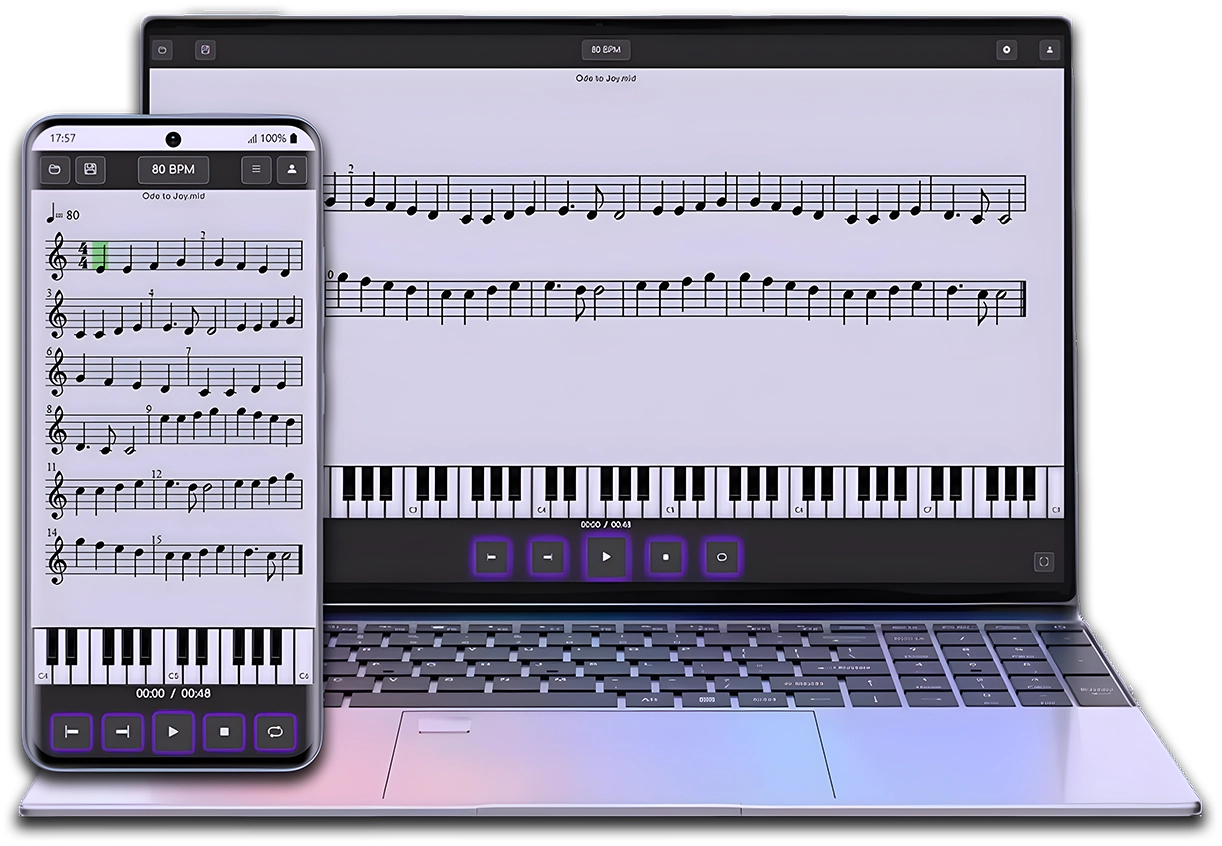
MIDI & MusicXML Player
Now that you already know MuseScore, practice your sheet music easily with the Clave de Mi Player.
After creating your score in MuseScore, open it in MIDI & MusicXML Player to listen to it, study, and practice at your own pace from the browser or your phone.
MuseScore is one of the most popular score editors and, as we saw in the first video of the MuseTube course, its
installation can be done in different ways. In this article, we’ll explore Muse Hub, companion software that makes it easier to download and manage MuseScore and other resources. We’ll look at whether it’s really worth installing or whether it’s better to choose direct installation.
🌐 Where to download MuseScore?
To download MuseScore, we need to go to its official website:
👉 musescore.org (Not to be confused with musescore.com, which is a different platform).
On the download page we find two options:
- Download MuseScore directly (without Muse Hub).
- Download it via Muse Hub, a platform that offers additional resources.
Before deciding, let’s take a look at what Muse Hub actually is and what advantages or disadvantages it has.
🛠️ What is Muse Hub?
Muse Hub is a platform that centralizes the installation of various music-related applications, including MuseScore. It also lets you download add-ons and resources such as:
- Muse Sounds: a high-quality sound library that improves the playback of our scores.
- Muse FX: a collection of effects to improve sound quality.
- Automatic updates for MuseScore and other compatible programs.
In essence, Muse Hub is not mandatory to use MuseScore, but it does make it easier to install and manage certain add-ons.
🎵 What is Muse Sounds?
Muse Sounds is a set of sound libraries created by the MuseScore team to improve audio quality when playing back scores. It includes more realistic sounds for:
- String instruments 🎻
- Percussion 🥁
- Brass instruments 🎺
- Sound effects and more…
If you’re looking for a more realistic sound when playing back your scores, Muse Sounds is an excellent option. However, it can only be installed through Muse Hub.
⚖️ Is it recommended to use Muse Hub?
The big question: is it worth installing Muse Hub?
It will depend on your use and needs. Here’s a summary of the pros and cons:
✅ Advantages of using Muse Hub
✔️ Automatic installation and updates for MuseScore.
✔️ Quick access to Muse Sounds and other add-ons.
✔️ Centralized management of plugins and extensions.
❌ Disadvantages of Muse Hub
❌ Required installation for Muse Sounds (it can’t be obtained any other way).
❌ It may consume unnecessary resources if you only want MuseScore.
❌ Requires an internet connection to manage updates.
Personally, I don’t use it to install MuseScore, but it has been useful to me for downloading Muse Sounds and other add-ons. The decision is up to each user.
🔽 How to install MuseScore with Muse Hub
If you decide to install it with Muse Hub, follow these steps:
- Go to the MuseScore website and download Muse Hub.
- Run the installer and follow the instructions.
- In Muse Hub, select MuseScore and click Install.
- (Optional) Download Muse Sounds and other add-ons.
Once finished, MuseScore will open automatically and will be ready to use.
🎛️ Muse FX and other add-ons
In addition to Muse Sounds, in Muse Hub we find Muse FX, a collection of audio effects such as:
- Reverb
- Chorus
- Advanced equalization
If you’re interested in experimenting with different effects during playback of your scores, Muse FX can be an interesting tool.
📰 Inspiration and resources in Muse Hub
Muse Hub also offers a section called Inspiration, where you can find:
- MuseScore news.
- Songs to download.
- Educational videos (in English) about the software.
If you prefer content in Spanish, MuseTube is your best option. 😉
🏁 Conclusion: Muse Hub—yes or no?
Muse Hub is NOT required to use MuseScore, but it does make it easier to download and manage add-ons like Muse Sounds. If you only need the score editor, you can download it without Muse Hub with no problem.
📌 Personal recommendation:
✅ Install it if you want to use Muse Sounds or keep MuseScore easily up to date.
❌ Don’t install it if you only need MuseScore and prefer to download everything manually.
What do you think? Do you use Muse Hub, or do you prefer a direct installation? Leave us a comment.
👉 In the next article we’ll see how to install MuseScore on Linux, a process that can come with some complications. Don’t miss it!
MIDI & MusicXML Player
You’ve already finished this lesson.
Now put it into practice with the E-clef Player.
Open a sample score in the MIDI & MusicXML Player and discover a more visual and guided way to listen to, understand, and practice your scores.

Enjoy this course for free
and support the channel by making a donation or buying me a coffee!